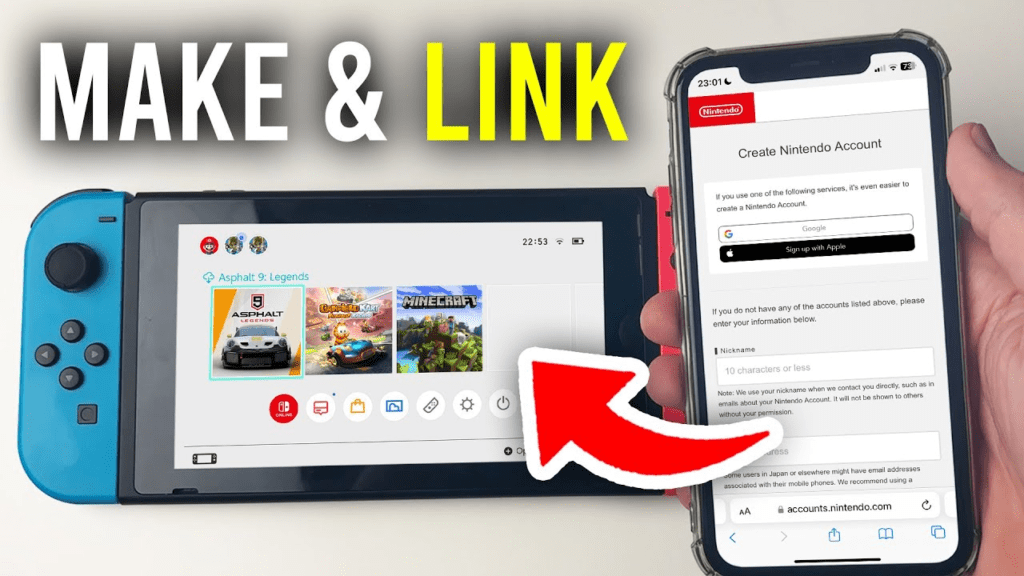

Starting your journey with a Nintendo console is a very exciting moment for any gamer. Whether you just got a brand-new Switch or you are revisiting classic titles, everything begins with a Nintendo account. Think of this account as your digital passport. It allows you to buy games, save your progress in the cloud, and connect with friends from all over the world. Many people worry that setting up tech stuff is hard, but Nintendo makes it very simple for everyone. In this guide, I will show you exactly how to get started so you can spend less time looking at menus and more time playing your favorite games.
Table of Contents
What Exactly Is a Nintendo Account?
A Nintendo account is a free profile that you use to access various services from Nintendo. In the past, Nintendo used different systems for their older consoles like the Wii U or 3DS. However, today, the Nintendo account is the main way to manage your gaming life. It is not just for your console either. You can use it on your smartphone for mobile games or on your computer to browse the official store. Having one place for all your data makes things much safer and easier to track. It is the best way to make sure you never lose your digital purchases or your hard-earned achievements.
Quick Profile: The Basics of Your Digital ID
| Feature | Details |
| Official Name | Nintendo Account |
| Cost | Free to create |
| Purpose | Digital shopping, Online play, Rewards |
| Devices | Nintendo Switch, Mobile, PC, Mac |
| Age Requirement | 13+ (Parents can create Child Accounts) |
| Main Benefit | Access to the Nintendo eShop |
How to Create Your New Account
To start, you need to visit the official website on a phone or computer. You will click on the sign-up button and enter some basic details. You will need a valid email address, a nickname, and a strong password. It is very important to use a real email because Nintendo will send you a verification code. Once you type that code into the website, your Nintendo account is officially born! I always recommend choosing a nickname that you really like, as your friends will see this when you play online games together. The whole process usually takes less than five minutes if you have your email ready.
Linking Your Account to the Switch
Once your Nintendo account is ready on the web, you need to put it on your Nintendo Switch console. Turn on your Switch and go to the “System Settings” menu. From there, find the “User” section and select “Add User.” The console will ask if you want to link an existing account. You will sign in using the email and password you just created. Linking your Nintendo account to your Switch is the most important step. Without doing this, you cannot visit the eShop or download any updates for your games. It acts like a bridge between the internet and your handheld device.
Why You Need the Nintendo eShop
The eShop is a digital playground where you can find thousands of games. When you have a Nintendo account, you can buy games instantly without going to a physical store. This is great for late-night gaming sessions when you want something new to play right away. You can also download free “demos” to try games before you spend any money. Your Nintendo account keeps a record of everything you buy. This means if you ever lose your Switch or buy a new one, you can just sign in and download all your games again for free. It provides great peace of mind for your digital library.
Understanding Nintendo Switch Online
Many people ask if a Nintendo account is the same as a “Nintendo Switch Online” subscription. They are actually different! Your account is free, but the “Online” service is a paid add-on. With the online service linked to your Nintendo account, you can play games like Mario Kart with people in other countries. You also get access to a huge library of classic games from the NES and Super Nintendo era. I think the best part is the “Cloud Saves” feature. This saves your game data on Nintendo’s servers so you never lose your progress, even if your console breaks.
Keeping Your Account Safe and Secure
Security is very important when you have a Nintendo account because it may hold your payment information. You should always use a unique password that you do not use anywhere else. Nintendo also offers a feature called “Two-Step Verification.” This means that even if someone knows your password, they cannot get into your Nintendo account without a special code from your phone. I highly suggest turning this on right away. It only takes a second to verify your login, and it keeps your digital games and credit card details much safer from hackers or strangers.
Managing a Family Group
If you have siblings or children, you can use one Nintendo account to manage a “Family Group.” This is a very helpful tool for parents. You can add up to eight people to one group. This allows one adult to manage the spending and playtime for everyone else. It is also a cheaper way to get the Online subscription because you can buy a “Family Membership.” Instead of paying for every person separately, everyone in the family group gets the benefits for one lower price. It is a smart way to save money while keeping the whole family connected and entertained.
My Nintendo Rewards Program
One of the coolest parts of having a Nintendo account is the “My Nintendo” rewards program. Every time you buy a digital game, you earn “Gold Points.” These points are like digital cash. You can use them to get a discount on your next purchase in the eShop. Sometimes I save up my points and get a small indie game for completely free! You can also earn “Platinum Points” by completing fun missions or playing mobile games. These can be traded for physical rewards like posters or keychains. It is Nintendo’s way of saying “thank you” for being a loyal fan.
Changing Your Region Settings
A very neat trick with the Nintendo account is that it is not locked to one specific country forever. If you move to a new country, you can change your region in the settings. Some games are released earlier in different parts of the world. However, you should be careful because your eShop balance does not always move with you. I usually tell my friends to spend their remaining cents before switching regions. Being able to access different versions of the eShop is a big advantage that makes the Nintendo account very flexible compared to other gaming platforms.
Common Problems and How to Fix Them
Sometimes you might run into a small problem with your Nintendo account. The most common issue is forgetting a password. If this happens, don’t panic! You can click the “Forgot Password” link on the login page, and Nintendo will send a reset link to your email. Another common issue is the verification email not arriving. Usually, it just lands in the “Spam” or “Junk” folder. If you still have trouble, Nintendo has a very helpful support website with clear instructions for every problem. Most issues are fixed by simply double-checking your email address or restarting your console.
Conclusion: Ready for Adventure
Creating your Nintendo account is the first step toward years of fun and adventure. It connects you to a massive community of players and a library of legendary games. By following the simple steps in this guide, you have secured your digital identity and opened the door to the eShop, rewards, and online play. Remember to keep your password safe and check your Gold Points often so you don’t miss out on discounts. Now that your setup is complete, it is time to grab your controllers and start playing. Happy gaming, and I hope to see you in the digital world soon!
Frequently Asked Questions
1. Is a Nintendo account free to make?
Yes! Creating a basic Nintendo account is completely free. You only pay if you decide to buy games from the eShop or subscribe to the optional Nintendo Switch Online service.
2. Can I use the same account on two different Switch consoles?
Yes, you can sign into your Nintendo account on multiple consoles. However, one will be your “Primary” console. On other consoles, you will need an internet connection to play your digital games.
3. What is the age limit for a Nintendo account?
You must be at least 13 years old to create your own standard account. For younger children, a parent or guardian can create a “Child Account” within their own family group settings.
4. How do I delete my Nintendo account?
You can deactivate your account through the website settings. Nintendo will give you a 30-day “grace period” where you can change your mind before everything is permanently deleted.
5. Can I change my email address later?
Yes, you can update your email address at any time by logging into your Nintendo account settings on a web browser. You will just need to verify the new email.
6. Do I need an account to play physical game cartridges?
You can play the basic game without one, but you will need a Nintendo account to download game updates, fix bugs, or play any part of the game that requires the internet.